语法
watch 是 Vue 的响应式 API,用于监听响应式数据的变化,当数据变化时执行指定的回调函数。
watch(
  source,        // 监听的数据源
  callback,      // 数据变化时的回调函数
  options        // 可选配置项
)
数据源(source)的四种写法
监听一个 ref
import { ref, watch } from 'vue'

const count = ref(0)

// 直接传入 ref
watch(count, (newValue, oldValue) => {
  console.log(`count 从 ${oldValue} 变为 ${newValue}`)
})
2. 监听一个 reactive 对象的属性
import { reactive, watch } from 'vue'

const state = reactive({
  name: '张三',
  age: 18
})

// 使用 getter 函数返回要监听的属性
watch(
  () => state.age,
  (newAge, oldAge) => {
    console.log(`年龄从 ${oldAge} 变为 ${newAge}`)
  }
)
3. 监听多个数据源(数组形式)
const firstName = ref('张')
const lastName = ref('三')

// 监听多个数据源
watch(
  [firstName, lastName],
  ([newFirst, newLast], [oldFirst, oldLast]) => {
    console.log(`姓名从 ${oldFirst}${oldLast} 变为 ${newFirst}${newLast}`)
  }
)
4. 监听响应式对象的深层属性
const user = reactive({
  info: {
    address: {
      city: '北京'
    }
  }
})

// 监听深层嵌套属性
watch(
  () => user.info.address.city,
  (newCity, oldCity) => {
    console.log(`城市从 ${oldCity} 变为 ${newCity}`)
  }
)
回调函数(callback)
watch(source, (newValue, oldValue, onCleanup) => {
  // newValue: 变化后的新值
  // oldValue: 变化前的旧值
  // onCleanup: 清理函数,用于清除副作用
})
配置选项(options)
watch(source, callback, {
  immediate: true,   // 立即执行一次回调
  deep: true,        // 深度监听
  flush: 'post'      // 回调执行时机
})
Watch 案例
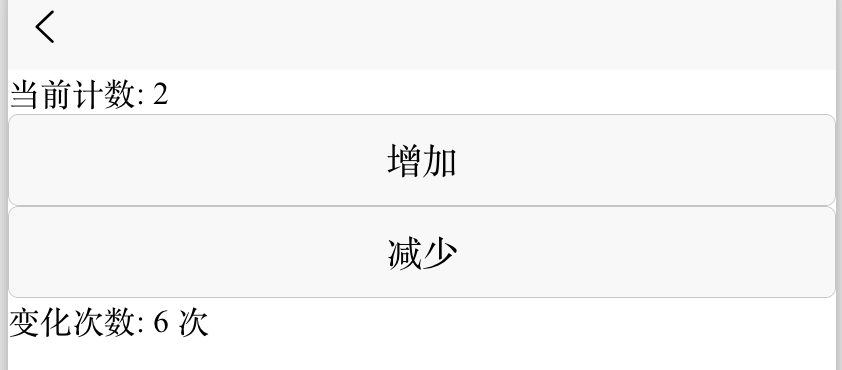
案例1: 基础监听
<template>
  <view class="demo-card">
    <text>当前计数: {{ count }}</text>
    <button @click="count++">增加</button>
    <button @click="count--">减少</button>
    <text>变化次数: {{ changeCount }} 次</text>
  </view>
</template>

<script setup>
import { ref, watch } from 'vue'

const count = ref(0)
const changeCount = ref(0)

watch(count, (newVal, oldVal) => {
  console.log(`计数从 ${oldVal} 变为 ${newVal}`)
  changeCount.value++
  uni.showToast({
    title: `计数变为 ${newVal}`,
    icon: 'none'
  })
})
</script>
案例2: 搜索防抖
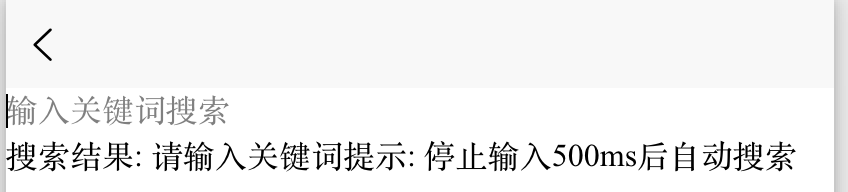
<template>
  <view class="demo-card">
    <input v-model="keyword" placeholder="输入关键词搜索" />
    <text>搜索结果: {{ searchResult }}</text>
    <text class="tip">提示: 停止输入500ms后自动搜索</text>
  </view>
</template>

<script setup>
import { ref, watch } from 'vue'

const keyword = ref('')
const searchResult = ref('')
let timer = null

watch(keyword, (newVal) => {
  if (timer) clearTimeout(timer)

  timer = setTimeout(() => {
    if (newVal) {
      searchResult.value = `搜索 "${newVal}" 的结果 (模拟数据)`
    } else {
      searchResult.value = '请输入关键词'
    }
  }, 500)
})
</script>
案例3: 监听多个数据源
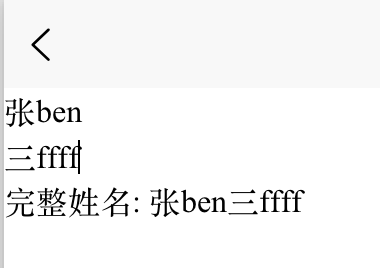
<template>
  <view class="demo-card">
    <input v-model="firstName" placeholder="姓" />
    <input v-model="lastName" placeholder="名" />
    <text>完整姓名: {{ fullName }}</text>
  </view>
</template>

<script setup>
import { ref, watch } from 'vue'

const firstName = ref('张')
const lastName = ref('三')
const fullName = ref('张三')

watch(
  [firstName, lastName],
  ([newFirst, newLast]) => {
    fullName.value = newFirst + newLast
    console.log(`姓名变为: ${newFirst}${newLast}`)
  }
)
</script>
案例4: 深度监听对象
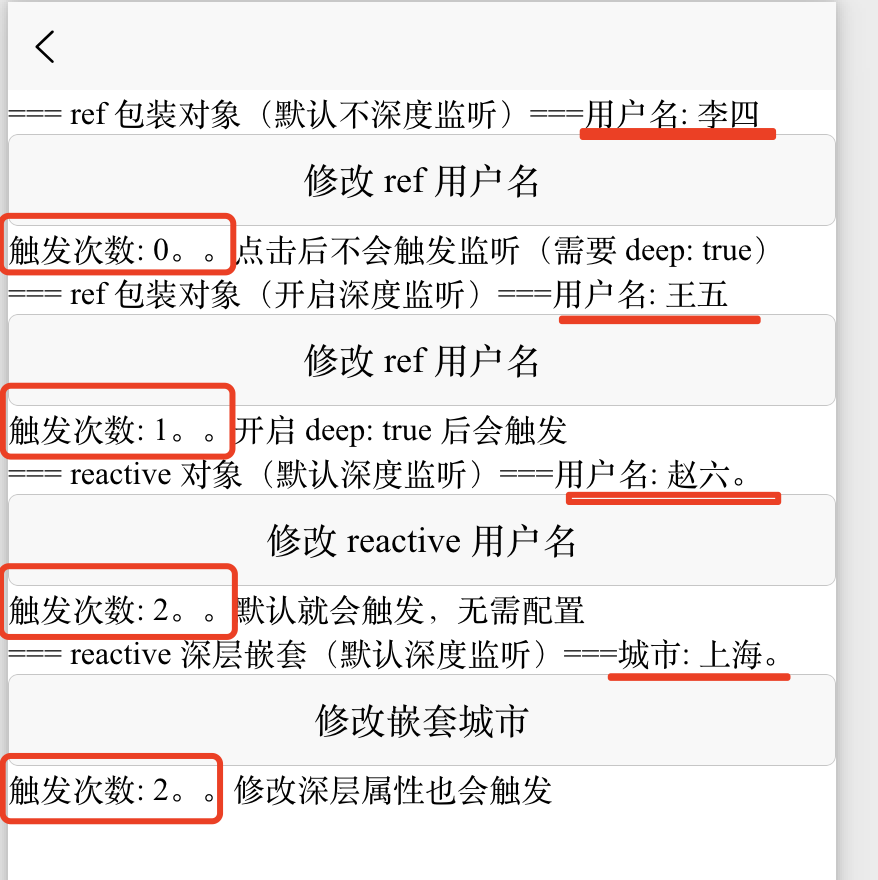
- ref(对象):默认不深度监听,需要手动开启
deep: true - reactive(对象):默认深度监听,不需要额外配置
<template>
  <view>
    <view class="card">
      <text>=== ref 包装对象(默认不深度监听)===</text>
      <text>用户名: {{ refUser.name }}</text>
      <button @click="refUser.name = '李四'">修改 ref 用户名</button>
      <text>触发次数: {{ refTriggerCount }}。。</text>
      <text class="tip">点击后不会触发监听(需要 deep: true)</text>
    </view>

    <view class="card">
      <text>=== ref 包装对象(开启深度监听)===</text>
      <text>用户名: {{ refUserDeep.name }}</text>
      <button @click="refUserDeep.name = '王五'">修改 ref 用户名</button>
      <text>触发次数: {{ refDeepTriggerCount }}。。</text>
      <text class="tip">开启 deep: true 后会触发</text>
    </view>

    <view class="card">
      <text>=== reactive 对象(默认深度监听)===</text>
      <text>用户名: {{ reactiveUser.name }}。</text>
      <button @click="reactiveUser.name = '赵六'">修改 reactive 用户名</button>
      <text>触发次数: {{ reactiveTriggerCount }}。。</text>
      <text class="tip">默认就会触发,无需配置</text>
    </view>

    <view class="card">
      <text>=== reactive 深层嵌套(默认深度监听)===</text>
      <text>城市: {{ reactiveUser.address.city }}。</text>
      <button @click="reactiveUser.address.city = '上海'">修改嵌套城市</button>
      <text>触发次数: {{ reactiveTriggerCount }}。。</text>
      <text class="tip">修改深层属性也会触发</text>
    </view>
  </view>
</template>

<script setup>
import { ref, reactive, watch } from 'vue'

// 1. ref 包装对象(不开启深度监听)
const refUser = ref({ name: '张三', age: 18 })
const refTriggerCount = ref(0)

watch(refUser, () => {
  refTriggerCount.value++
  console.log('ref 监听触发(无 deep)')
})

// 2. ref 包装对象(开启深度监听)
const refUserDeep = ref({ name: '张三', age: 18 })
const refDeepTriggerCount = ref(0)

watch(refUserDeep, () => {
  refDeepTriggerCount.value++
  console.log('ref 监听触发(有 deep)')
}, { deep: true })

// 3. reactive 对象(默认深度监听)
const reactiveUser = reactive({
  name: '张三',
  age: 18,
  address: {
    city: '北京',
    street: '长安街'
  }
})
const reactiveTriggerCount = ref(0)

watch(reactiveUser, () => {
  reactiveTriggerCount.value++
  console.log('reactive 监听触发')
})
</script>
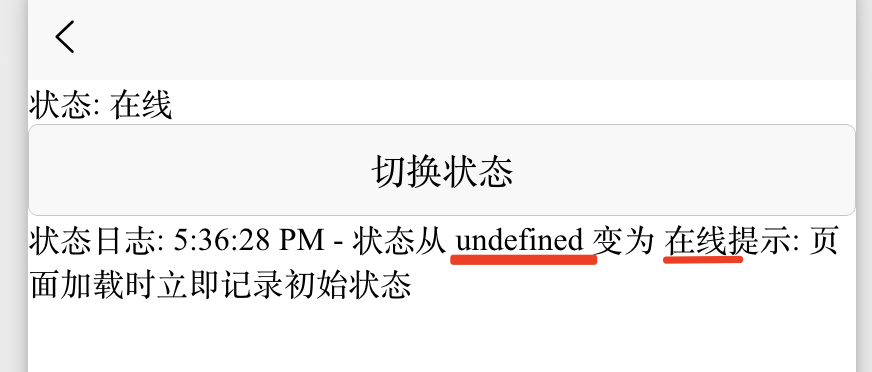
案例5: immediate 立即执行
- 设置
immediate: true会立即执行一次,在页面加载的时候就会执行一次 - 后面数据发生变化也会执行
<template>
  <view class="demo-card">
    <text>状态: {{ status }}</text>
    <button @click="status = status === '在线' ? '离线' : '在线'">
      切换状态
    </button>
    <text>状态日志: {{ statusLog }}</text>
    <text class="tip">提示: 页面加载时立即记录初始状态</text>
  </view>
</template>

<script setup>
import { ref, watch } from 'vue'

const status = ref('在线')
const statusLog = ref('')

watch(status, (newVal, oldVal) => {
  const time = new Date().toLocaleTimeString()
  statusLog.value = `${time} - 状态从 ${oldVal} 变为 ${newVal}`
}, {
  immediate: true
})
</script>
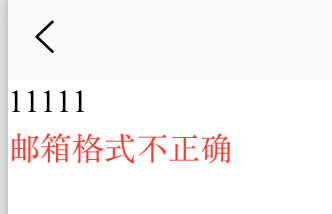
案例6: 表单验证
<template>
  <view class="demo-card">
    <input v-model="email" placeholder="请输入邮箱" />
    <text :style="{ color: emailError ? '#ff3b30' : '#4cd964' }">
      {{ emailError || '✓ 邮箱格式正确' }}
    </text>
  </view>
</template>

<script setup>
import { ref, watch } from 'vue'

const email = ref('')
const emailError = ref('')

watch(email, (newVal) => {
  if (!newVal) {
    emailError.value = '请输入邮箱'
  } else if (!/^[^\s@]+@([^\s@]+\.)+[^\s@]+$/.test(newVal)) {
    emailError.value = '邮箱格式不正确'
  } else {
    emailError.value = ''
  }
}, { immediate: true })
</script>
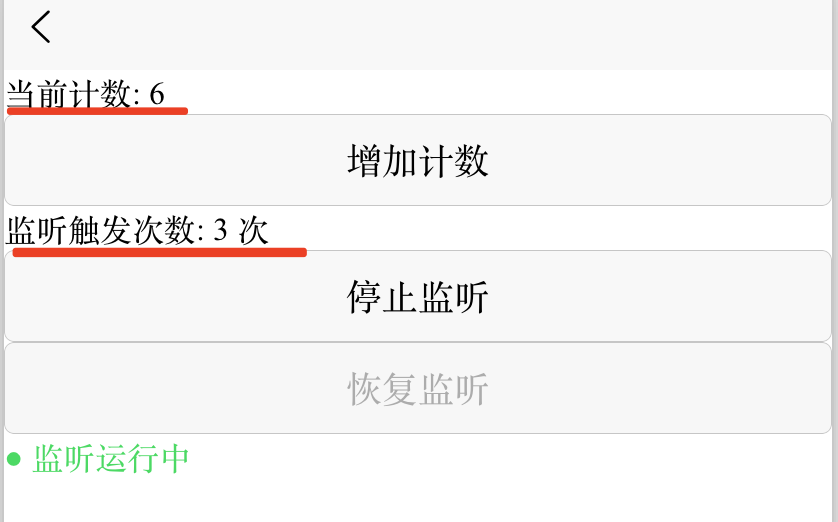
案例7: 停止/恢复监听演示
<template>
  <view class="demo-card">
    <text>当前计数: {{ count }}</text>
    <button @click="count++">增加计数</button>
    <text>监听触发次数: {{ triggerCount }} 次</text>

    <view>
      <button @click="stopWatch" :disabled="!isWatching">停止监听</button>
      <button @click="resumeWatch" :disabled="isWatching">恢复监听</button>
    </view>

    <text class="tip" :style="{ color: isWatching ? '#4cd964' : '#ff3b30' }">
      {{ isWatching ? '● 监听运行中' : '● 监听已停止' }}
    </text>
  </view>
</template>

<script setup>
import { ref, watch } from 'vue'

const count = ref(0)
const triggerCount = ref(0)
const isWatching = ref(true)

let stopWatchFn = null

// 创建监听并保存停止函数
const startWatch = () => {
  // 创建监听,并把返回的停止函数保存到 stopWatchFn
  // watch 执行后会返回一个函数,调用这个函数就可以停止监听
  stopWatchFn = watch(count, (newVal, oldVal) => {
    triggerCount.value++
    console.log(`计数变化: ${oldVal} → ${newVal}`)
    uni.showToast({
      title: `触发第 ${triggerCount.value} 次`,
      icon: 'none',
      duration: 800
    })
  })
  // 标记监听正在运行
  isWatching.value = true
}

// 停止监听
const stopWatch = () => {
	// 如果停在调用的这个函数存在
  if (stopWatchFn) {
	// 就执行这个函数,这个函数就会停止监听
    stopWatchFn()
    isWatching.value = false
    uni.showToast({
      title: '已停止监听',
      icon: 'none'
    })
  }
}

// 恢复监听
const resumeWatch = () => {
  if (!isWatching.value) {
	// 重新创建家庭
    startWatch()
    uni.showToast({
      title: '已恢复监听',
      icon: 'none'
    })
  }
}

// 初始化启动监听
startWatch()
</script>